How to Register Smart Bro SIM in Philippines: Step-by-Step Guide

Smart Bro SIM registration is the official process of linking your SIM card to your personal information, as required by the Philippine SIM Registration Act. This process only takes a few minutes when you have the right information ready.
By registering, you keep your number active, avoid service interruptions, and protect yourself from scams. In this guide, you’ll learn exactly what you need, the fastest ways to register, and how to fix common problems so you can get your Smart Bro SIM working without delays.
How to Register Smart Bro SIM – Quick Answer
To register your Smart Bro SIM in the Philippines, go to simreg.smart.com.ph, enter your mobile number, verify it with the OTP, fill in your personal details, and confirm your submission. With a National ID, enter your name and take a live selfie — verified in under a minute, with no ID photo upload needed.
You can also register through the Smart App (formerly GigaLife) by signing in and following the in-app prompts. Both methods take only a few minutes when you have your ID and information ready.
What You Need Before Registering Your Smart Bro SIM
Before starting your Smart Bro SIM registration, prepare all the required details and tools. Having them ready will make the process smoother and faster.
Valid ID Requirements
Make sure the ID is clear, unexpired, and matches your personal details exactly.
Personal Information to Prepare
Device and Internet Requirements
You’ll need:
- The Smart Bro SIM inserted in a compatible device
- A stable internet connection
- A camera-enabled phone or computer for live selfie verification
Step-by-Step Guide to Register Your Smart Bro SIM
You can register your Smart Bro SIM online through simreg.smart.com.ph or by using the Smart App (formerly GigaLife).
Using the Official Smart Registration Website
- Go to the Smart SIM Registration Portal. Open your browser and visit simreg.smart.com.ph.
- Enter Your Mobile Number. Type your Smart Bro SIM number, then click “Send OTP.”
- Verify With OTP. Check your phone for the One-Time Password and enter it on the page.
- Fill Out Personal Details. Provide your full name, date of birth, sex, and address exactly as shown on your ID.
- Upload ID and Selfie. Take a clear photo of your valid ID and a live selfie. With a National ID, enter your name and take a live selfie instead — no ID photo upload is needed. Ensure good lighting and a clear background for a smooth verification.
- Review and Confirm. Double-check all information before clicking “Submit.”
- Save Your Reference Number. Take a screenshot or write it down for future reference.
Registering Through the Smart App (formerly GigaLife)

- Download the Smart App (formerly GigaLife). Available for both Android and iOS from Google Play Store or App Store.
- Sign In or Create an Account. Use your Smart Bro number to log in.
- Access SIM Registration. From the dashboard, tap the SIM Registration option.
- Enter and Verify Your Details. Fill in your personal information, upload your ID and take a live selfie, then submit. With a National ID, enter your name and take a live selfie — no ID photo upload is needed.
- Get Confirmation. Keep a record of your registration reference number.
How to Check If Your Smart Bro SIM Is Registered
You can confirm your Smart Bro SIM registration in two simple ways:
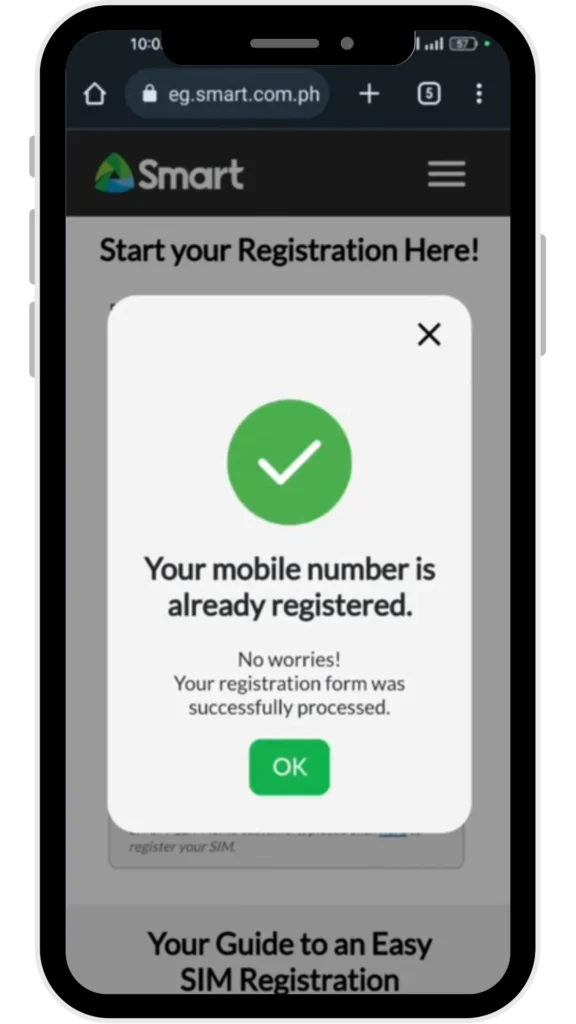
Follow this Guide to activate your Smart SIM.
Using the Smart Registration Status Tool
- Go to the official Smart SIM Registration Status page.
- Enter your Smart Bro number.
- Click “Check Status” to see if your SIM is already registered.
Confirmation via SMS Notification
- After successful registration, Smart sends an SMS confirming your SIM is registered.
- If you have not received this message within 24 hours, check again through the website or app to be sure.
Common Smart Bro SIM Registration Errors and How to Fix Them
Even with a smooth process, some Smart Bro SIM registrations fail due to small mistakes or technical issues. Knowing the most common errors and their fixes will save you time and frustration.
Invalid ID Upload
Why it happens: The photo of your ID may be blurry, cropped, or not in the required format.
How to fix it:
- Use a high-resolution camera or phone.
- Place the ID on a flat surface with good lighting.
- Avoid glare or shadows over important details.
- Ensure the entire ID is visible in the frame.
OTP Not Received
Why it happens: Network delays or incorrect mobile number entry.
How to fix it:
- Double-check your mobile number before requesting OTP.
- Switch to an area with stronger signal.
- Wait at least 2 minutes before requesting a new OTP.
- Restart your phone if the OTP still doesn’t arrive.
Mismatched Information
Why it happens: Details entered during registration don’t match the ID provided.
How to fix it:
- Enter your full name exactly as it appears on your ID, including middle name or initial.
- Ensure date of birth and address match your official records.
- Avoid nicknames or abbreviations.
Website or App Errors
Why it happens: High traffic on the Smart SIM Registration portal or outdated app version.
How to fix it:
- Try registering during non-peak hours (early morning or late evening).
- Clear your browser’s cache or try a different browser.
- Update your Smart App (formerly GigaLife) before starting registration.
Smart Bro SIM Registration Deadlines
The Philippine government has set specific timelines for SIM registration under the SIM Registration Act (Republic Act No. 11934). Missing these deadlines can result in losing access to your Smart Bro SIM services.
Government-Imposed Cut-off Dates
The National Telecommunications Commission (NTC) sets and announces the official registration deadlines. As of the latest update:
- Initial deadline: April 26, 2023
- Extended deadline: July 25, 2023 (final date for the initial nationwide rollout)
While these were the main deadlines during the first year of implementation, future SIM activations, including new Smart Bro SIMs — must be registered before first use.
Penalties for Missing the Deadline
If you fail to register your Smart Bro SIM within the allowed time:
- Your SIM will be automatically deactivated.
- You will lose access to calls, texts, and mobile data.
- Reactivation after deactivation is limited and generally not possible once a SIM has been deactivated.
Why Deadlines Matter
Registering on time keeps your number active and ensures you can use all Smart Bro services without interruptions. It also helps avoid the hassle of reactivation, which may involve extra verification steps.
Tip: If you’re unsure about your SIM status, check it using the Smart Registration Status tool or through the Smart App before the deadline passes.
Where to Get Help with Smart Bro SIM Registration
If you have trouble registering your Smart Bro SIM, there are several official support options you can turn to for assistance.
Smart Customer Service Hotline
You can call *888 from your Smart phone or (02) 8888-1111 from any landline. Customer service agents are available to walk you through the registration process or help fix specific issues like OTP delays, ID upload errors, or mismatched details.
Smart Stores and Partner Centers
Visit the nearest Smart Store or authorized partner center with your SIM and valid ID. Staff can help you complete the registration on-site and check your status in the system. This is especially useful if you don’t have a stable internet connection.
Online Help and FAQs
- Visit the Smart SIM Registration page for step-by-step guides.
- Check the official Smart Facebook page for updates, video tutorials, and answers to common questions.
- Use the live chat feature on the Smart website for quick online support.
FAQs
Can I register my Smart Bro SIM without an internet connection?
Yes. You can register at any Smart Store or authorized partner center. Bring your SIM and a valid government-issued ID so staff can process the registration for you.
What happens if I don’t register my Smart Bro SIM?
Your SIM will be deactivated, and you will lose access to calls, texts, and data services. You may also lose your phone number permanently — reactivation after deactivation is limited and generally not possible.
Can I register a Smart Bro SIM for someone else?
You can, but you’ll need their consent and a copy of their valid ID. If the SIM is for a minor, a parent or legal guardian must complete the process.